How To Use Reolink Camera With Nas Storage
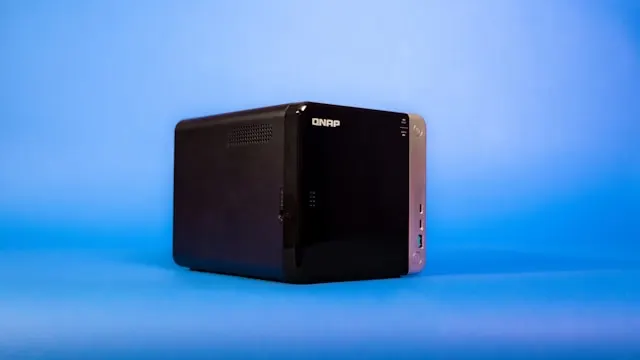
In the world of home security, few brands have made a name for themselves like Reolink. Known for their user-friendly security cameras, Reolink offers innovative solutions that meet various surveillance needs. Among the numerous features of Reolink cameras, one of the most powerful is their capability to work seamlessly with NAS (Network Attached Storage) systems. This capability grants users more control over data management while providing a reliable way to store footage. In this article, we’ll explore how to use Reolink camera with NAS storage, detailing everything you need to maximize your security setup.
Technical Features
Reolink cameras are celebrated for their impressive features and specifications that cater to various surveillance requirements. Depending on the model, you can expect:
- Resolution: Most Reolink cameras, such as the RLC-410 or the RLC-520, offer up to 4MP or 5MP video quality, providing clearer and more detailed images compared to standard options.
- Field of View: These cameras typically boast a wide field of view ranging from 80 to 110 degrees, ensuring a broader coverage area.
- Night Vision: Equipped with infrared LEDs, Reolink cameras can capture clear images in low light and complete darkness.
- Two-Way Audio: Some models come with built-in microphones and speakers, allowing real-time audio communication through your smartphone.
- Motion Detection: Advanced detection features help in minimizing false alarms while ensuring you stay notified of genuine activities.
- Connection Options: Most Reolink cameras offer both Wi-Fi and Ethernet connections, allowing for versatile installation options.
Furthermore, Reolink cameras support multiple storage options, including local microSD cards and NAS storage, making it an ideal choice for users seeking more robust data management solutions.
Setup & Installation
Setting up your Reolink camera to work with NAS storage isn’t overly complex, but it does require attention to detail. Here’s a step-by-step guide to get you started:
-
Preliminary Network Setup: Before connecting your camera to the NAS, ensure that both devices are connected to the same local network, which may involve connecting the NAS to your router via Ethernet.
-
Reolink App Installation: Download the Reolink app on your smartphone. It’s available on both Android and iOS platforms. Create an account or log in to your existing one.
-
Camera Installation: Power up your Reolink camera, then use the app to scan the QR code on the camera. This process will assist in connecting it to your Wi-Fi or wired network.
-
Configure NAS Storage: Access your NAS device to set up a shared folder for the Reolink camera. Make sure the folder has writable permissions. The setup varies depending on your NAS brand (Synology, QNAP, etc.). For Synology NAS, you’ll typically go to the File Station to create a shared folder, similar for QNAP.
-
Connecting Camera to NAS: Once your shared folder is ready, go back to the Reolink app. Navigate to the Camera Settings -> Advanced Settings -> FTP/SFTP. Enter your NAS IP address, the username, and password to connect. Input the shared folder’s path where you want the recordings to be stored.
-
Testing the Connection: To test if everything is working, trigger the motion detection feature and check if the footage appears in the designated NAS folder.
By following these steps, you can ensure optimal performance while effectively using the Reolink camera with NAS storage.
Smart Features & Integration
Reolink cameras come packed with smart features that enhance the security experience:
- Mobile Notifications: Receive instant alerts for motion detections, ensuring you’re always aware of relevant activities.
- Remote Access: View live video feeds and recorded footage from anywhere using the Reolink app.
- Easy Sharing: You can share camera live feed with friends or family, enhancing your home security collaboration efforts.
- IFTTT Integration: Some models support IFTTT, which opens up possibilities for further automation, such as integrating with smart lights or other connected devices in your home.
These smart capabilities make it easy to monitor your home while leveraging NAS storage to manage footage efficiently.
Pros and Cons
Every product has its strengths and weaknesses. Here’s a breakdown of the pros and cons of using a Reolink camera with NAS storage:
Pros:
- High-Quality Video: The clarity provided by Reolink cameras ensures you don’t miss essential details, even in low-light conditions.
- Flexibility in Storage Options: Using NAS offers scalable storage options compared to traditional local storage like microSD cards. This flexibility is beneficial for users requiring substantial retention of video.
- User-Friendly App: The Reolink app is intuitive, making remote monitoring easy for users of all technical levels.
- Two-Way Audio: This feature provides interactive capabilities which can be useful for various scenarios, such as speaking to pets or greeting visitors.
Cons:
- Installation Complexity: Though setup isn’t overly complicated, integrating with NAS might be daunting for users unfamiliar with networking concepts.
- Dependent on Network Stability: Performance can be compromised if the local network is unstable or too congested.
- Cost of NAS: Using NAS involves an additional upfront cost if you don’t own one already, adding to the overall investment.
Final Expert Recommendation
Overall, utilizing a Reolink camera with NAS storage is an excellent solution for anyone looking to enhance their home security. The combination of high-definition video quality, smart features, and scalable storage makes it a compelling option for long-term surveillance without ongoing subscription fees.
However, it’s essential to consider your comfort with setup and network management before diving in. For tech-savvy users or those willing to learn, this system can provide unmatched flexibility and control over your security footage. With its user-friendly app and expansive functionality, it stands out as one of the top choices for those seeking a comprehensive security solution powered by the advantages of NAS. Whether for home or small business use, Reolink cameras paired with NAS storage provide a powerful means to keep an eye on what matters most.
In conclusion, if you are wondering how to use Reolink camera with NAS storage, follow our guidelines, consider your needs, and enjoy a stronger sense of security in your environment.