Amcrest UltraHD Indoor Camera Setup Guide

Amcrest UltraHD Indoor Camera Setup Guide

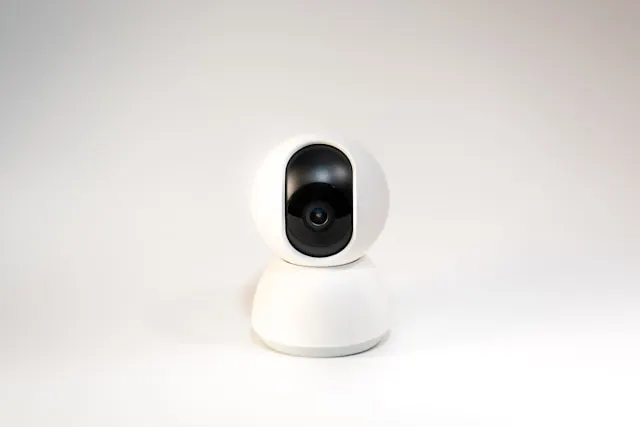
This Amcrest UltraHD Indoor Camera setup guide is written specifically for beginners. If you have never installed a security camera before, have never configured a camera app, or feel unsure about Wi-Fi setup and recording options, this guide will walk you through every step in clear, simple language.

By the end of this guide, your Amcrest UltraHD Indoor Camera will be powered on, connected to your Wi-Fi network, visible on your phone or computer, recording video, and sending alerts when motion is detected.
Arlo Pro 4 Installation Guide

Arlo Pro 4 Installation Guide

Arlo Pro 4 Installation Guide

This Arlo Pro 4 installation guide is written for beginners and assumes no prior experience with security cameras or smart home devices. By following this step-by-step guide, you will have your Arlo Pro 4 installed, connected to Wi-Fi, configured in the Arlo app, and fully operational with motion alerts, video recording, and smart home integration.

For more details on performance, features, and expert evaluation, see our Arlo Pro 4 review.

Reolink RLC-810A Setup Guide

Reolink RLC-810A Setup Guide

Reolink RLC-810A Setup Guide

This Reolink RLC-810A setup guide is written for complete beginners. If you have never installed a security camera before, never used Power over Ethernet, and are unsure where to start, this guide will walk you through the entire process from opening the box to viewing live footage on your phone.

The goal is simple: by the end of this guide, your Reolink RLC-810A will be mounted, powered, connected, recording video, and sending useful alerts.

Ring Doorbell Installation Guide

Ring Doorbell Installation Guide

This Ring Doorbell installation guide is written for beginners and assumes no prior experience with smart doorbells or home security devices. By following this guide, you will have your Ring Doorbell installed, connected to Wi-Fi, configured in the Ring app, and fully operational with motion alerts, video recording, and smart home integration.


What You Need Before You Start

Before opening the box, gather the necessary tools and equipment to make installation smoother.

Wyze Cam v3 Installation Guide

Wyze Cam v3 Installation Guide

This Wyze Cam v3 installation guide is designed for beginners and assumes no prior experience with smart cameras. By following this step-by-step guide, you will have your Wyze Cam v3 unboxed, mounted, connected to Wi-Fi, and fully operational with notifications, motion detection, and two-way audio.

For a detailed evaluation of performance, video quality, and features, see our Wyze Cam v3 review.


What You Will Need

Before starting, ensure you have: